Common SNMP Questions
If you're new to the protocol, the same common SNMP questions come up again and again: what the letters stand for, how a manager talks to an agent, why there are three versions, and what all those dotted numbers mean. This page is the snmp basics qa — the "what is it and how does it work" layer, answered concretely with real OIDs and real standards. It stays deliberately on the fundamentals. When a question is really about a broken command or an RFC deep-dive, you'll get a pointer to the page that owns it.
Overview
Consider this the beginner's lane. The answers below explain the moving parts of SNMP — manager, agent, MIB, OID, community, versions, the poll model — without assuming you've configured a daemon before. Everything is grounded: when we name an OID it's a real one, and when we cite a version we cite the RFC that defines it. Error output and troubleshooting steps live elsewhere (errors, diagnostics); the full standards table lives on the SNMP standards page. Here we're just building the mental model. Get these snmp basics down and the rest of the site reads much faster, because every sensor page and setup guide assumes you already know what an agent is and how a walk works.
| Building block | What it is | Example |
|---|---|---|
| Agent | Software on the device that answers queries | snmpd on Linux |
| Manager | The station that polls agents | a poller or NMS |
| OID | A numbered address for one value | 1.3.6.1.2.1.25.1.1.0 |
| MIB | The schema naming those OIDs | Host Resources MIB (RFC 2790) |
| Community | The v2c access secret | a read-only string |
| Port | Where the agent listens | UDP 161 (traps: 162) |

Questions & answers
What does SNMP stand for, and what is it for? SNMP is the Simple Network Management Protocol. Its job is monitoring and management: it lets a central station read status values — and occasionally change settings — on routers, switches, servers, printers, and just about anything with a network stack. Each device runs an agent that exposes those values; a manager collects them on a schedule. The design goal was "simple" enough that even constrained hardware could implement the agent side, which is a big part of why it's everywhere.
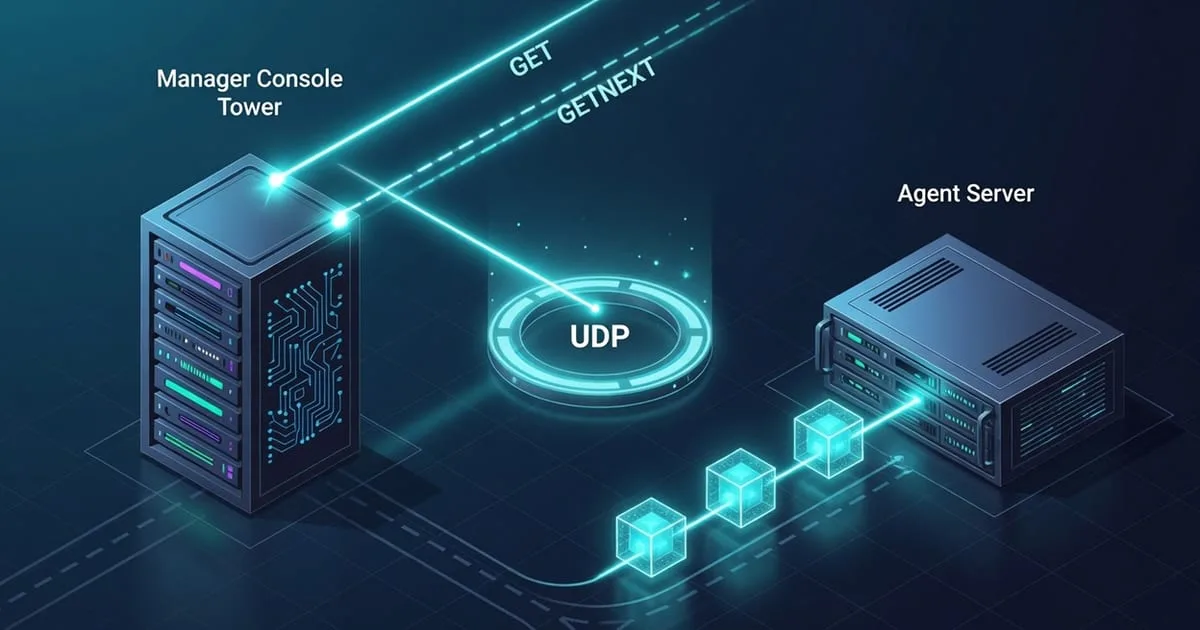
How does the manager–agent poll model work? It's request-and-response, and a single poll runs in a predictable order:
- The manager builds a request naming one or more OIDs and the community string.
- It sends that as a UDP packet to the agent's port (161 by default).
- The agent checks the community and its access rules, then looks up each OID.
- It replies with the current values — or an error if an OID isn't permitted.
- The manager records the answer and waits for the next scheduled poll.
Because it's a pull model, the manager sets the cadence: every 30 seconds, every 5 minutes, whatever suits the metric. Nothing is pushed unsolicited except traps, where the agent speaks on its own.
What is a community string? In SNMPv1 and v2c the community string is the access credential — a shared secret that the manager includes with every request. Get it right and the agent answers; get it wrong and you get silence. There's usually a read-only community for polling and, if enabled, a read-write one for making changes. The important caveat: in v2c it travels in clear text (see RFC 1901/3416/3417), so treat it as a weak password on a trusted network, not real security.
What are the SNMP versions and how do they differ? Three matter. v1 (RFC 1157) is the original and still turns up on old gear. v2c keeps the simple community model but adds bulk transfers and better error handling. v3 (RFC 3411–3418) is the security upgrade: it adds USM for authentication and privacy (encryption) and VACM for fine-grained access control. For read-only server monitoring on a trusted segment, v2c is the common choice; reach for v3 when the traffic crosses untrusted networks.
What is an OID and how do I read one?
An OID — Object Identifier — is a path through a global tree, written as numbers separated by dots. 1.3.6.1.2.1 is the branch where most standard management objects live. Append more numbers and you descend to a specific value; 1.3.6.1.2.1.25.1.1.0 is the host's uptime. Read left to right, each number narrows the scope. A trailing .0 usually marks a single scalar value; other suffixes are table row indexes.
What is a MIB, and which ones matter most?
A MIB (Management Information Base) is the schema that maps OIDs to human-readable names and data types. Three are load-bearing for server monitoring. MIB-II (RFC 1213) holds the core system and interface objects. The Host Resources MIB (RFC 2790) covers CPU, memory, storage, and uptime — for instance hrStorageUsed at 1.3.6.1.2.1.25.2.3.1.6. The IF-MIB (RFC 2863) describes network interfaces, including 64-bit octet counters in its ifXTable.
What's the difference between GET, GETNEXT, and GETBULK?
GET fetches one named OID. GETNEXT returns whatever comes next in the tree, which is how you "walk" a table without knowing its indexes ahead of time — snmpwalk chains GETNEXT calls under the hood. GETBULK, added in v2c, does the same walking but pulls many rows per request, so large tables come back far faster and with less chatter. There's also SET, which writes a value, though monitoring setups usually disable it.
What is a trap? A trap is the one time an agent speaks without being asked. When a configured event fires — a link going down, a threshold breached — the agent pushes a notification to a manager, by convention on UDP 162. Traps are useful for immediate alerts, but they're fire-and-forget in v1/v2c: if the packet is lost, no one retries. That's why most reliable monitoring still leans on regular polling rather than trusting traps alone.
Does SNMP run over TCP or UDP?
UDP. The agent listens on UDP 161 for queries and traps go to UDP 162. UDP is connectionless and lightweight, which suits frequent small polls, but it also means there's no built-in delivery guarantee — a dropped request just looks like no answer, so clients retry. If you ever need to change the listening port for safety, that's a one-line edit in snmpd.conf; the setup guide covers it.
Related reading
- SNMP FAQ — the parent hub for every quick answer, and the fastest way back to the other topics.
- SNMP monitoring home — the top of the knowledge base.
- SNMP error messages — when a command fails instead of answering.
- SNMP diagnostics — hands-on testing of a live agent.
- SNMP standards & RFCs — the full version and MIB reference table.
- SNMP glossary — every term above, defined on its own.
- Sensor & OID catalog — the real metrics you'll poll once the basics click.
Once you can read an OID and run a walk, the practical question is who's doing the polling. ostr.io Monitoring answers that from the outside: it polls your SNMPv2c agent from beyond your network and alerts you by email and SMS, which is the whole point of double durability — a second, independent set of eyes.