SNMP UPS Monitoring
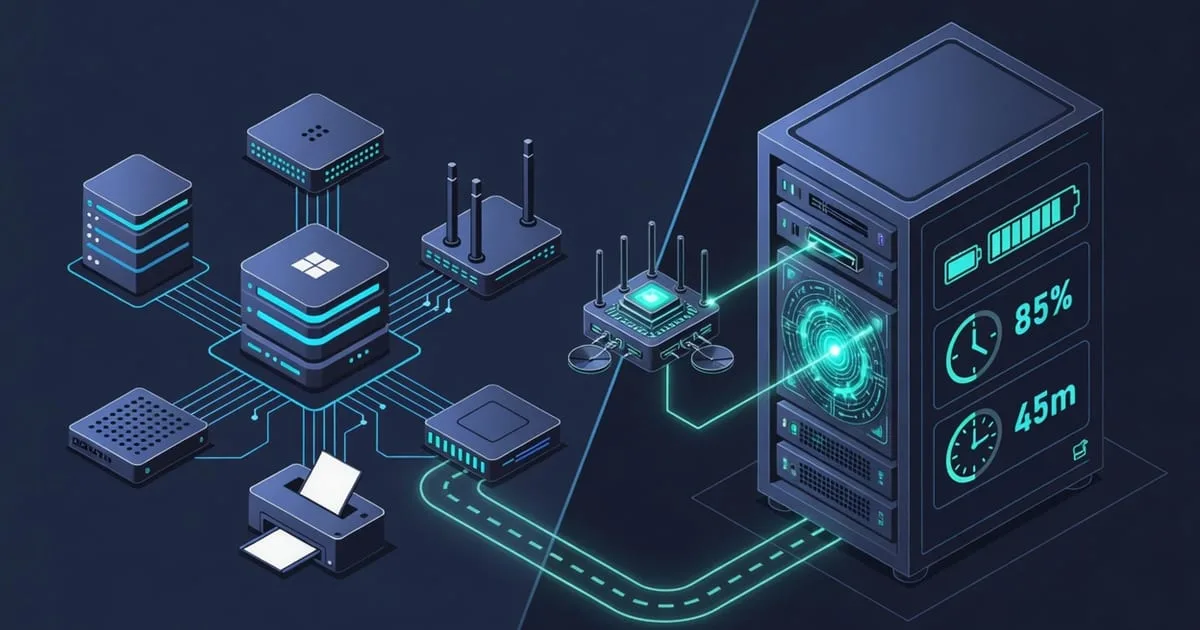
A UPS spends most of its life doing nothing visible, and that's the trap. SNMP UPS monitoring exists so you learn about a battery problem on a calm Tuesday instead of during the outage it was supposed to cover. Poll the unit over the network and you can read whether it's on mains or on battery, how much runtime is left, the charge level, and the load it's carrying. This page explains what those readings mean, why they live in a dedicated standard and vendor MIBs rather than the host tables, how to find the right OID, and how to make the alert reach you when the power's already gone.
What is UPS monitoring
An uninterruptible power supply is the bridge between the wall and your gear. When utility power hiccups or dies, the UPS holds the load on battery long enough for equipment to ride through a blip or shut down cleanly. Monitoring it means continuously reading the metrics that predict whether it'll actually do that job when called: battery status, estimated minutes of runtime remaining, output load as a percentage of capacity, input and output voltage, and internal temperature.
The reason this matters is uncomfortable. Batteries degrade silently. A UPS that tested fine two years ago may now hold ninety seconds where it once held fifteen minutes, and nothing about its blinking green light tells you. The failure only surfaces at the worst possible moment — when the mains drops and the battery can't carry the load long enough for a graceful shutdown. Data gets corrupted, filesystems get damaged, and the recovery is far more expensive than the replacement battery would have been.
Monitor ups snmp values on a schedule and the slow decline becomes visible. A runtime figure trending down month over month is a battery asking to be replaced. A load that's crept up past what the unit can reasonably back is a capacity problem you can fix before it's tested for real. Like PDU and temperature telemetry, this is environmental data — the state of the power feeding your systems — which is why it belongs with the other environmental sensors.
Why it's not in the standard host-resources MIB
The everyday server metrics — CPU, memory, disk — all come from the Host Resources MIB (RFC 2790), served the same way by every SNMP daemon. UPS data is different in kind. Battery charge and runtime describe a separate piece of hardware sitting between the wall and the server, and the operating system has no inherent knowledge of it. So the readings don't appear in the host tree at all.
Good news, though: UPS monitoring is better standardised than most environmental sensors. There's a dedicated standard MIB for it — the UPS-MIB, defined in RFC 1628 — which models generic UPS objects like battery status, estimated minutes remaining, input and output lines, and output load. When a UPS implements RFC 1628, much of what you need has a defined home under that standard tree rather than a proprietary one.
The catch is that not every unit implements it fully, and many vendors layer their own richer objects on top through the enterprise subtree, 1.3.6.1.4.1.<vendor>. So in practice this is still an advanced, vendor-aware sensor: you check for RFC 1628 support first, then fall back to the manufacturer's MIB for anything the standard doesn't cover — or for the extra detail the vendor exposes. Either way, you're not fabricating column OIDs from memory; you read them from the MIB the device actually ships.
Finding the right vendor OID
The discovery routine is the same one that works for any non-standard device: consult the MIB, then verify against the hardware. Grab the UPS-MIB (RFC 1628) and the vendor's own MIB file, load them into snmptranslate or a MIB browser, and read the object names so you know which branch carries battery status versus runtime versus load.
Then walk the unit and see what really answers:
snmpwalk -v2c -c public 10.0.0.30 1.3.6.1.2.1.33
snmpwalk -v2c -c public 10.0.0.30 1.3.6.1.4.1
The first sweep targets the UPS-MIB subtree; the second sweeps the enterprise branch for vendor extensions. Match the live figures — a charge percentage, a runtime in minutes — to the OIDs that return them. The table below orients you among the common sources. Take the exact numeric OID from whichever MIB your device implements, never from a guess.
| Source | MIB | What it covers | Where the exact OID comes from |
|---|---|---|---|
| Standard | UPS-MIB (RFC 1628) | Battery status, minutes remaining, input/output voltage, output load | The RFC 1628 standard tree |
| Standard | ENTITY-SENSOR-MIB (RFC 3433) | entPhySensorValue 1.3.6.1.2.1.99.1.1.1.4 — generic sensor readings | Standard, when supported |
| APC / Schneider | PowerNet-MIB | Extended battery, self-test, and runtime detail | Vendor MIB, enterprise subtree |
| Eaton | Eaton/Powerware UPS MIB | Battery, load, and alarm objects | Vendor MIB |
| Vertiv / Liebert | Vendor UPS MIB | Battery, input, and environmental detail | Vendor MIB |
Confirm each OID against the running device before you trust it. A value that doesn't change when you'd expect it to is a value pointing at the wrong object.
Setting it up as a custom OID
With the OID in hand, wiring it up follows the general custom OID pattern. For a UPS it looks like this:
- Enable SNMP on the UPS network card. Most UPS units expose SNMP through a network management card; turn on SNMPv2c or v3, set a read-only community, and note the port.
- Discover the battery, runtime, and status OIDs with the walks above, checking the values against the front-panel display.
- Add those OIDs to the allowlist if a proxy or host filters what's readable — the OID allowlist guide has the exact
viewline, and the snmpd.conf reference covers the rest of the configuration. - Poll on a steady cadence and retain history, so a declining runtime trend is visible rather than hidden.
- Alert on the state change — on-battery, low-battery, and load thresholds.
Since the UPS is its own device with its own agent, you poll the UPS management card directly; no server daemon change is needed unless a middle box is filtering the OID.
Alerting
Signals worth alerting on:
- A transfer to battery — mains power has been lost.
- Battery charge or estimated runtime falling below your safe margin.
- A 'replace battery' status flag being raised.
- Input voltage or output load drifting outside the unit's rated range.
The most valuable UPS alert isn't a threshold at all — it's a state transition. "On battery" means the mains just failed, and you want to know instantly, not after the battery is exhausted. Beyond that, useful triggers include estimated runtime dropping below the time your systems need to shut down cleanly, and output load rising past a safe fraction of the unit's rated capacity.
There's a cruel irony to alerting on power events from inside the affected site: a serious outage can take out the very machine that would send the warning. If the monitor and the UPS share a room, they can go dark together. Polling from outside the network dodges that. That's the double durability idea — an independent external checker still sees the UPS while the site is struggling. ostr.io Monitoring polls your SNMP endpoints from outside your infrastructure and sends real-time email and SMS alerts, so an "on battery" or low-runtime condition reaches you even as the power situation deteriorates.