SNMP Power Supply Monitoring
Redundant power supplies are supposed to save you — but only if you know when one has quietly died. A server with dual PSUs happily keeps running on a single unit after the other fails, showing no outward symptom at all, right up until the survivor also drops and the whole box goes dark with no redundancy left to catch it. SNMP power supply monitoring exists to close that blind spot: watch each PSU's presence, status, and draw so a lost unit raises a flag while you still have a spare. The thing to say up front, though: PSU status isn't a metric your server publishes by default. There's no universal OID for it, so to monitor power supply health over SNMP you'll use a vendor MIB or a custom OID — which is what this page covers.
What is Power Supply monitoring
Power supply monitoring means polling the state of the PSUs — and, for some setups, the PDUs and UPS units — that feed your hardware, then tracking that state over time. The useful readings usually come in a few flavours: a presence flag (is the module installed), an operational status (ok, failed, notPresent, sometimes acLost), a redundancy indicator for multi-PSU chassis, and often analog values like output wattage, current draw in amperes, and the input feed's state.
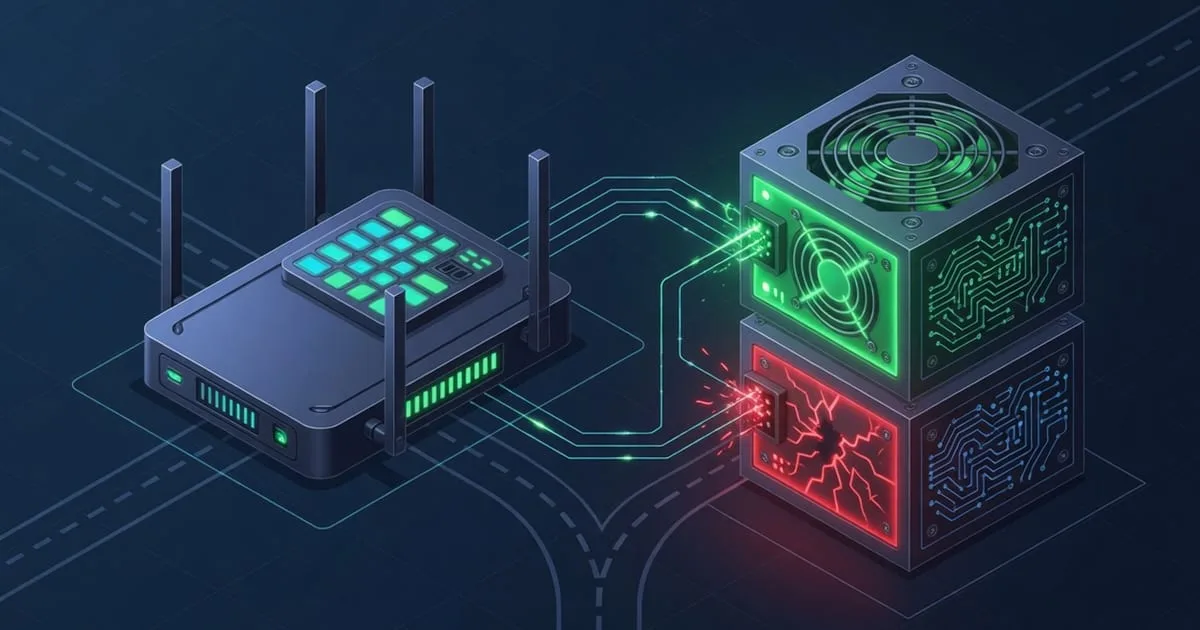
The reason to care is redundancy math. N+1 or 2N power designs only protect you while the redundancy is intact. Lose one PSU and you're running without a net — a fault that would have been a non-event becomes a full outage the instant a second thing goes wrong. Because the machine keeps humming on the surviving supply, nobody notices unless something is explicitly watching the status object. A dropped input feed is the same story on the facility side: one of two independent power paths goes away, the UPS or the second feed carries on, and the warning only lands if you polled for it.
There's a load angle too. Wattage and current draw tell you how hard a PSU is working and whether a circuit is approaching its rated limit. So power-supply monitoring isn't only about detecting the dead — it's about knowing your headroom before you trip a breaker. Monitor power supply state over SNMP and you turn a silent, single-point risk into something you can see and act on.
Why it's not in the standard host-resources MIB
The familiar trees — the Host Resources MIB (RFC 2790) at 1.3.6.1.2.1.25.*, MIB-II for network interfaces — model a device as a logical computer: its processors, memory, storage, and running software. A power supply is a field-replaceable physical module with an electrical and mechanical state. That's a different category of thing, and those standards never set out to describe it, so a walk of the host-resources tree says nothing about PSUs.
Physical components like this do have standard homes. The Entity MIB and its Entity Sensor MIB (RFC 3433) can represent a PSU as a physical entity and carry associated readings — entPhySensorValue at 1.3.6.1.2.1.99.1.1.1.4 handles analog values such as output watts or amperes, with entPhySensorType flagging watts or amperes. Presence and operational status are often expressed through the Entity MIB or, more commonly, a vendor's own module-status object. The trouble, as ever, is uneven implementation — many servers surface PSU status only through their enterprise MIB.
So power-supply status is an advanced sensor: not collected by default, invisible to a generic scan, and specific to your hardware's chosen object. No tool picks it up automatically. You identify the object, allow it, and poll it deliberately. It's a bit more setup than a built-in counter — but for a component whose failure hides behind working redundancy, that visibility is the entire point.
Finding the right vendor OID
You need the object your particular chassis uses, and the vendor MIB is the authority. Load it into a MIB browser or snmptranslate and the PSU entries typically name themselves — power-supply status, redundancy, output power. If you can't get the MIB, walk and observe: status enumerations change when you pull a supply, and analog draw values track load.
A workable discovery pass:
- Standard tree first.
snmpwalk -v2c -c public <host> 1.3.6.1.2.1.99.1.1.1for RFC 3433 analog readings (watts,amperes), and check the Entity MIB physical table for PSU entities. - Then the vendor enterprise subtree under
1.3.6.1.4.1.<vendor-number>for the module-status and redundancy objects, which is where most servers keep them. - Map the status enumeration. A value like
3means nothing until the MIB tells you it'sfailed— resolve the enum before you build an alert on it.
These MIBs are real and vendor-published, but the exact numeric OID and per-PSU index vary by model. Treat the table as a map of where to look, and confirm every value against the MIB shipped with your device rather than trusting a number blind.
| Platform / vendor | MIB to consult | Typical PSU object | Notes |
|---|---|---|---|
| Standards-based (many devices) | ENTITY-SENSOR-MIB (RFC 3433) | entPhySensorValue (1.3.6.1.2.1.99.1.1.1.4) | Output watts / amperes; entPhySensorType sets the unit |
| Cisco | CISCO-ENTITY-FRU-CONTROL-MIB / CISCO-ENVMON-MIB | FRU power-status / supply-state object | Power module operational state |
| Dell servers | iDRAC / server MIB | power-supply-status object | Presence, status, redundancy per the iDRAC MIB |
| HPE servers | CPQHLTH-MIB | power-supply-status object | HP Insight / iLO health MIB |
| Juniper | JUNIPER-MIB | power-supply operating object | Chassis PSU state via the operating table |
| APC / Schneider PDU-UPS | PowerNet-MIB | input-feed / load object | Facility feed, load, and UPS state |
If the object stays hidden, don't manufacture an OID — a wrong guess reports "healthy" forever. The custom OID guide goes deeper on finding it.
Setting it up as a custom OID
With the object confirmed, the wiring is short. The usual snags are the agent not serving the branch and a tight allowlist hiding it; for PSU status, the extra step is decoding the enumeration correctly.
- Verify by hand.
snmpget -v2c -c public <host> <your-psu-status-OID>should return a status you can map tookor a fault. A timeout is reachability or community, not the OID. - Expose it in the agent. Update your snmpd.conf so the daemon serves the branch the PSU objects live under.
- Allow the OID. Add a
view ... includedentry for the exact object — plus any redundancy or wattage objects — in your OID allowlist. A restrictive allowlist hides them until named. - Register them as custom OIDs. Use custom OID monitoring to add each object, label the PSUs (PSU1 / PSU2), and set units for the analog draw values.
- Translate the status codes. Map the integer enumeration to human states in the poller, so an alert reads "PSU2 failed" instead of "value = 3."
This is advanced configuration, and it belongs alongside the other physical readings you'd wire up the same way. The full set is in the sensor & OID catalog and the flat all sensors index.
Alerting
The most valuable power-supply alert is the loss of redundancy — one PSU failing while the other carries the load. That's the silent moment you most want to hear about, and it maps cleanly to a status object flipping from ok to failed, or a redundancy object dropping from redundant to non-redundant. Lean on the states the hardware defines; they beat any threshold you'd invent, and where the MIB publishes wattage or current limits, use those for the load side.
Worth alarming on:
- Any PSU status leaving
ok—failed,acLost, ornotPresentall mean you're a step closer to a full outage. - Redundancy lost — the single most actionable signal in this category; treat it as high priority even though the box is still up.
- Load creeping toward a PSU's or circuit's rating — headroom warning before you trip protection. Correlate with voltage readings for the fuller electrical picture.
Now the uncomfortable part. Power is the one subsystem where trusting the box to warn you about the box is circular — if both supplies go, the agent goes with them, and the alert never leaves. External polling is the answer. It's the reasoning behind double durability: an independent watcher keeps reading your PSU status even as, or after, the hardware loses power. ostr.io Monitoring polls the object from outside your network and sends real-time email and SMS alerts the instant a supply drops or redundancy is lost — and if the whole machine goes dark, an external checker still notices the silence, which an on-box agent never could.